Dashboard Overview
What every screen in your account is for.
On this page
A tour of your account, so you know which screen answers which question. Everything is reachable from the menu on the left.
You'll live in three of these
Most owners only ever need three screens: the one showing what it earned, the one showing what it said, and the one where you change what it knows. The rest are there when you need them.
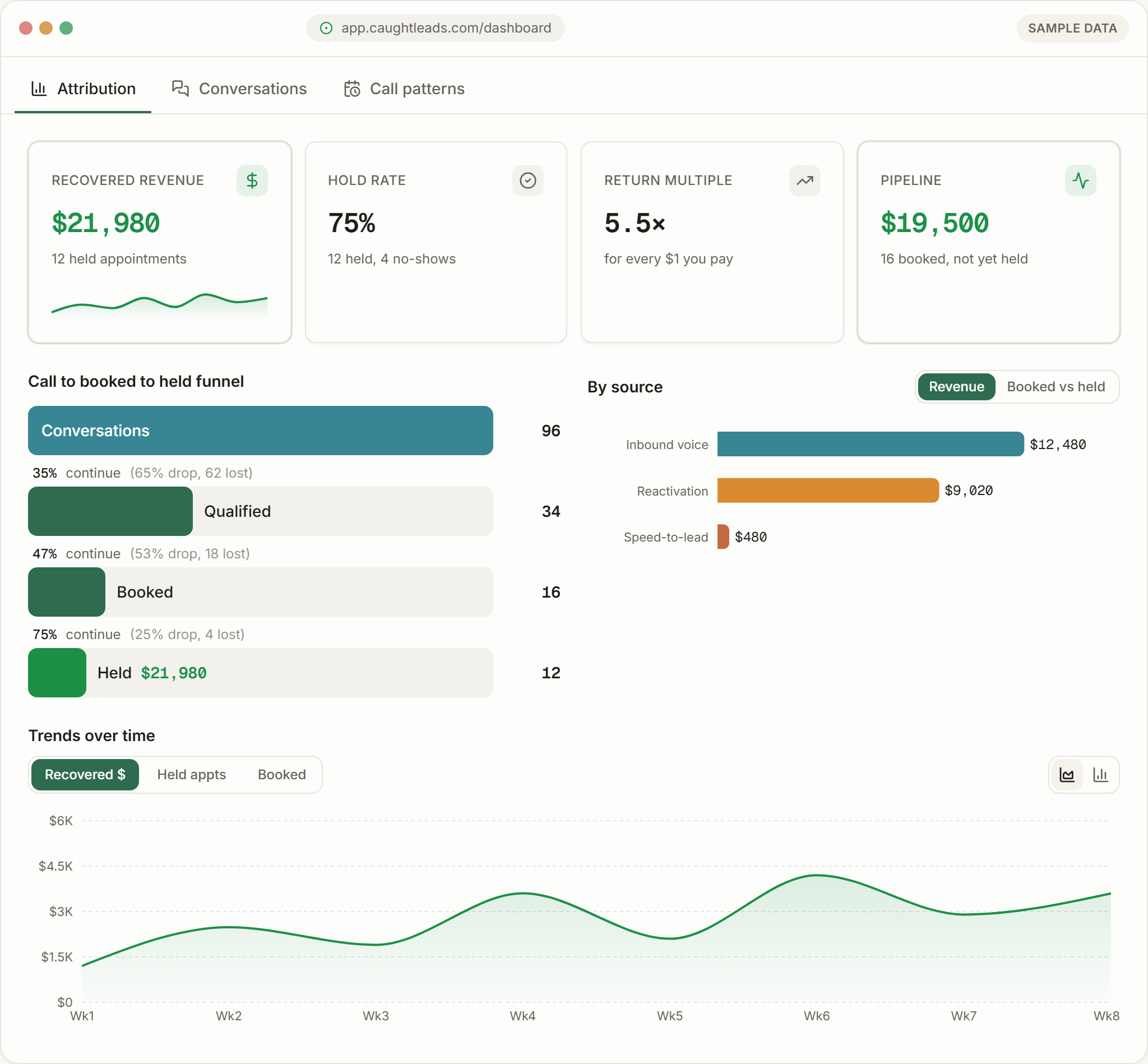
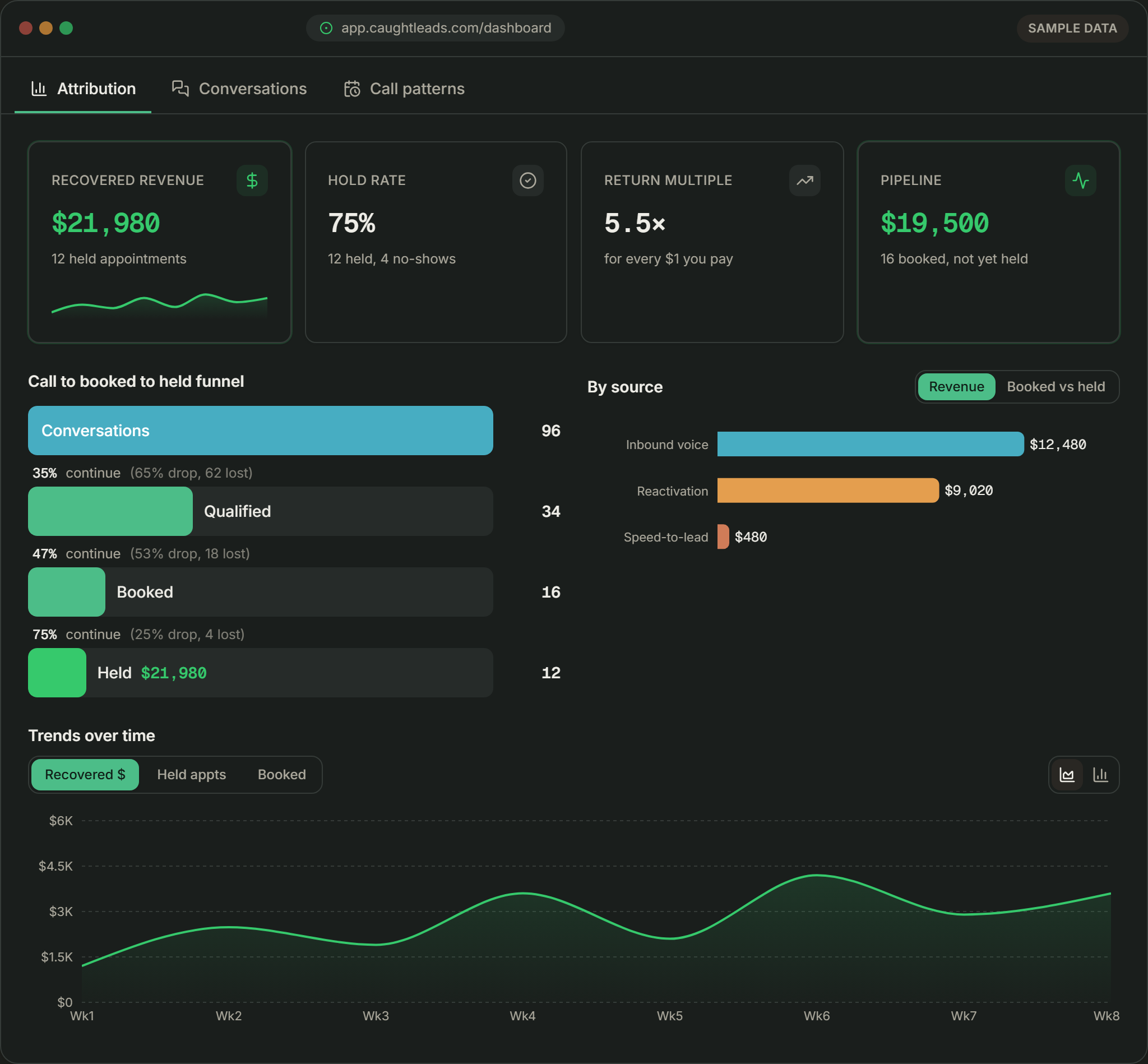
The menu, screen by screen
Attribution
The money screen. Recovered revenue, hold rate, return multiple, pipeline, and the funnel from answered call to held appointment. Start here to answer did this pay for itself?
Conversations
Every call and text, with transcripts and summaries. Where you go when a number on Attribution looks wrong and you want to know why.
Call Coach
Reviews calls for you and points at what’s worth reading. Use it to choose which calls to open rather than picking at random.
AI Receptionist
Your front desk itself — its voice, and a button to place a test call so you hear exactly what customers get.
Leads & Consent
Every contact captured, and whether they may be messaged. Consent is tracked per person and opt-outs are permanent.
Connections and Business Config
Connections is where your calendar and other tools plug in. Business Config is where everything your receptionist knows about you lives — the screen you’ll edit most in your first month.
- Reactivation
- Follows up with past customers who can be contacted.
- Outbound Calls
- Works a list of leads by phone rather than waiting for them to ring.
- Compliance
- The consent and messaging rules that keep outreach lawful.
- Billing
- Your plan, your usage this month, and your card.
- Field Notes
- Guides and playbooks from us.
Two screens, most days
Where to start
On day one, go to Business Config and fill it in. On day two, open Conversations and read your first real calls. By the end of week one, Attribution will have enough in it to be worth reading.
Because it does something more specific than a dashboard. It attributes real money to real calls — every dollar traces to an appointment that was booked and held.