Lead Activity
The live feed of what's happening right now.
On this page
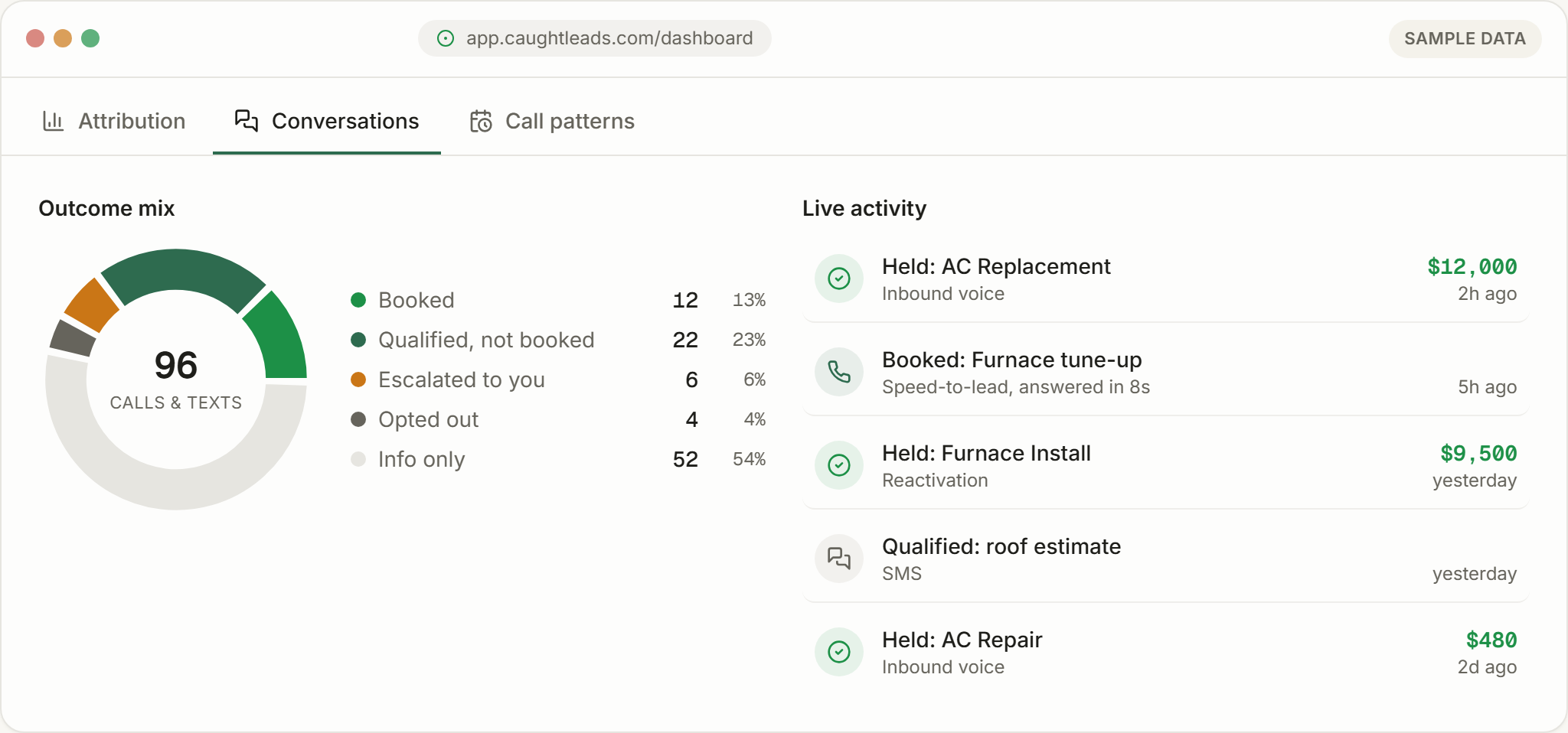
Lead activity is the running feed of what your receptionist has been doing — the newest events first, each one clickable through to the call behind it.
Where the feed lives
On the Attribution screen, beside the funnel. It’s the fastest way to see the last few things that happened without opening Conversations and filtering.
What just happened, in three seconds
The tiles tell you how the month is going. The feed tells you what just happened. Most owners check this first thing in the morning and last thing before closing — it answers “did anything come in?” in about three seconds.
What each entry tells you
- The outcome
- Held, Booked, Qualified, Escalated — what the conversation turned into.
- The job
- What the customer actually wanted, in a few words.
- The source
- Inbound voice, reactivation, speed-to-lead, or SMS — where the lead came from.
- The value
- Shown in money-green for held work. Absent when there's no money attached yet.
- When
- Relative time — 2h ago, yesterday, 2d ago.
Speed-to-lead entries are worth reading
When your leads call
The Call patterns view turns the same events into a grid of days and time blocks. The darker the cell, the more calls arrived in it.
It usually tells owners something they half-suspected: a real volume of calls lands in the early evening and on Saturday mornings — the hours nobody is at a desk.
What the grid typically shows
How to use it day to day
- Morning: scan overnight entries. Anything qualified but not booked is a callback while it’s still fresh.
- Anything escalated: deal with it first. Those are the callers who asked for a person.
- Weekly: check the call-patterns grid. If a block is consistently busy and you’re closed in it, that’s an availability decision worth making.