Recovered Revenue
The headline number, and exactly how it's calculated.
On this page
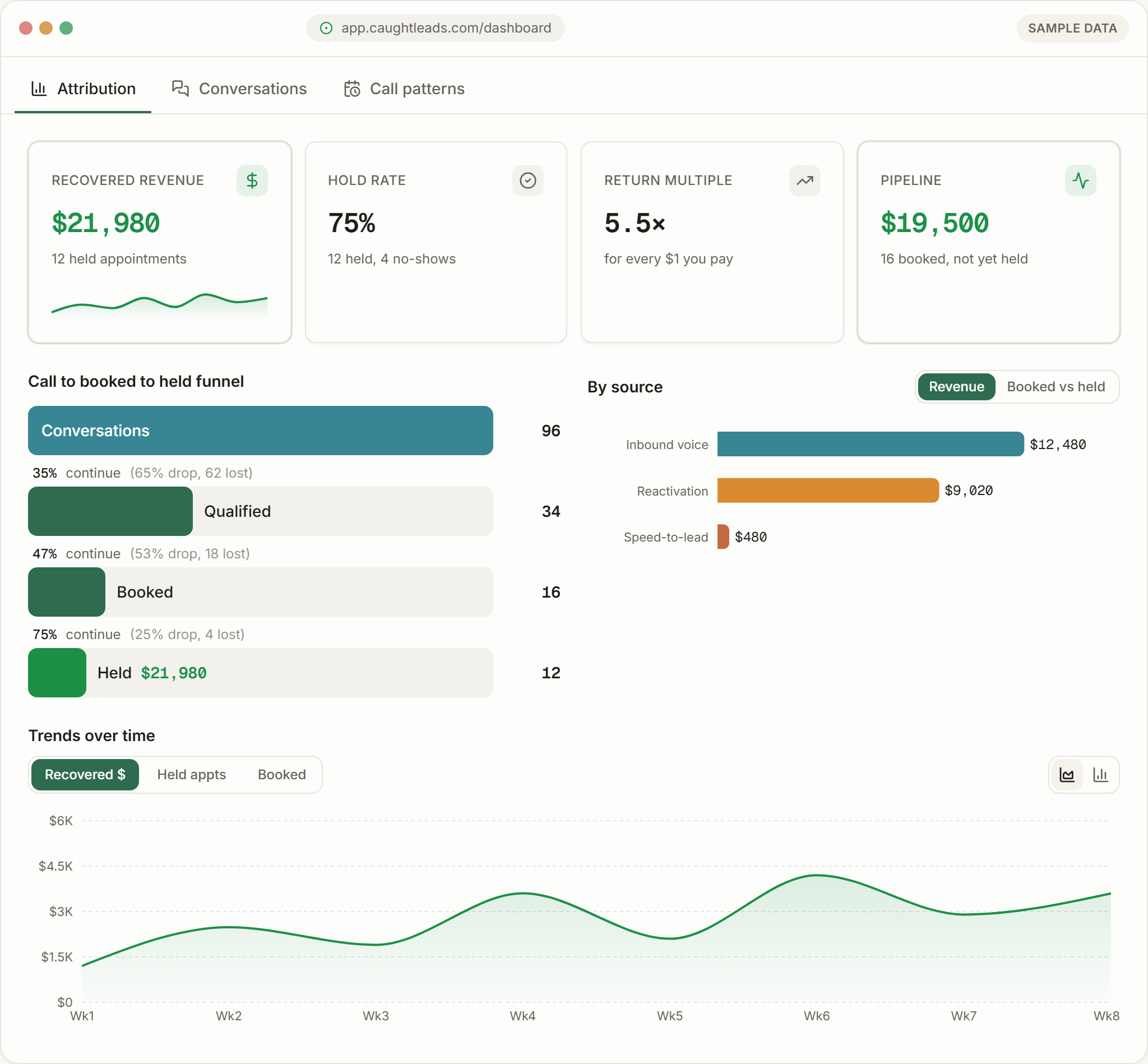
Recovered revenue is the closed value of every appointment your receptionist booked that you actually kept. It’s the number we ask you to judge us on.
It is deliberately conservative
The number we ask to be judged on
Every answering service can show you a call count. A call count doesn’t pay wages. The only honest test of whether a front desk is worth having is whether the work it booked turned up, so that’s what we report, and it’s why the figure is usually smaller than the one a competitor would quote you.
How it is calculated
- 1
A call comes in and is answered
It becomes a conversation in your account.
- 2
An appointment is booked
It carries an estimate (your average job value for that service, or a value captured on the call). The estimate is shown as pipeline only: it is never counted as recovered revenue.
- 3
It sits in pipeline
Until it is marked held, the estimate shows under Pipeline: booked, not yet held.
- 4
The appointment holds
It is marked held with the amount actually invoiced: typed by you, or the job’s total sent back by your field-service software. That invoiced amount, not the estimate, is what recovered revenue adds up.
What counts, and what doesn’t
- Counts: an appointment booked by your receptionist that went ahead.
- Counts: a job booked out of hours that held the following week.
- Doesn’t count: a lead captured but never booked.
- Doesn’t count: a booked appointment that was cancelled or no-showed.
- Doesn’t count: work you won some other way — a referral, a repeat customer who texted you directly.
Recovered revenue is invoiced amounts only
The return multiple
Sitting next to recovered revenue is a multiple — what came back for every $1 you paid.
- Above 4×
- Strong. The phone is doing real work for you.
- 2× to 4×
- Healthy, with room to tune — usually in the booking step.
- Below 2×
- Something is leaking. Look at the funnel: is it call volume, or is it conversion?
Below the bars is the net figure — recovered revenue minus what you were billed for the month (base plus usage), so you can see the profit rather than the gross.
An illustrative month (made-up numbers)
12 appointments held at a made-up business: 8 were $480 diagnostics and repairs, 3 were $1,200 install jobs, 1 was a $2,400 system replacement. That’s $9,840 recovered against a $349 bill for the month (a $49 base plus 2,500 voice minutes) — about 28× the bill, and $9,491 net. It shows how the figures are worked out, not what yours will be.
Another $3,600 sits in pipeline: three appointments booked for next week that haven’t happened yet.
When the number updates
The number updates as appointments hold. An appointment marked held today appears in this month’s figure immediately — there’s no overnight batch and no waiting for a month to close.
If the number looks wrong
Usually one of three things: recent bookings haven’t happened yet (check pipeline), appointments aren’t being marked as held, or the amounts entered when marking them held are lower than what was actually invoiced.
Check the amounts on held appointments first. One typed with an extra zero, or a total your software sent in cents rather than dollars, inflates the figure; correct it on the dashboard and your correction stands.
If the customer didn’t come through a call your receptionist answered, it won’t appear, and it shouldn’t. This screen measures what the phone recovered, not your total revenue.